


I have been there more times than I care to admit. You are sitting at a library desk or in a classroom with a school-issued Chromebook that sounds like a jet engine preparing for takeoff, or maybe your budget smartphone is completely out of storage space. All you want to do is jump into a quick game of Brookhaven with your friends or grind some levels in Blox Fruits, but downloading the official client is blocked by administrators or simply not an option.
When Roblox officially dropped direct browser support, making local client downloads mandatory on desktop and mobile, it felt like the end of an era. But I found a brilliant workaround that changed everything for me. You can run the entire Roblox experience natively inside a standard web browser using a cloud streaming platform called Now.gg.
I have spent dozens of hours testing this cloud setup on everything from ancient laptops to managed school tablets. In this guide, I will share my personal blueprint for bypassing lag, optimizing WebRTC network performance, maximizing free Robux earnings, and cracking the deepest secrets hidden inside the platform.
Running Roblox in a Web Browser Without Downloads
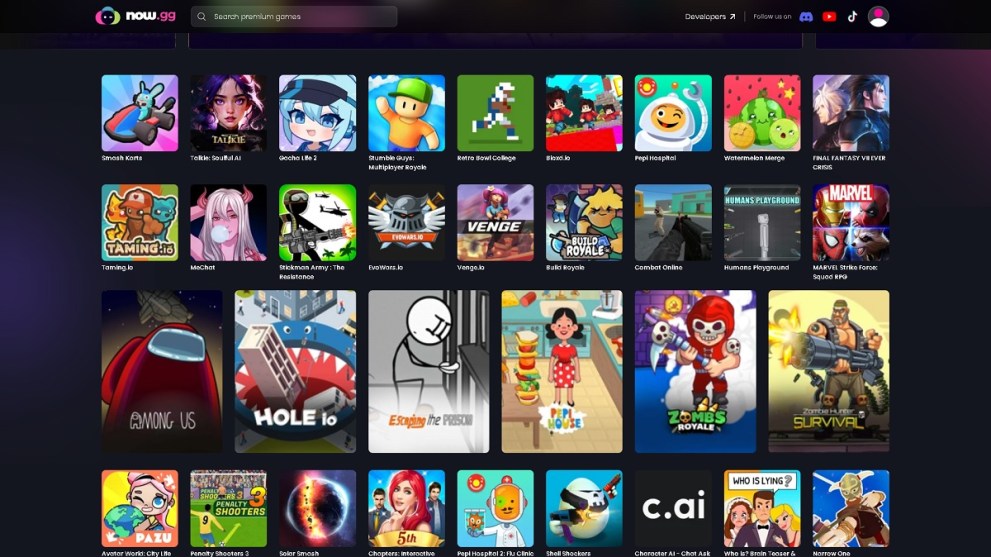
To explain it simply, Now.gg is a free mobile cloud gaming service. Instead of forcing your local device to struggle through rendering heavy 3D game geometry, a powerful server cluster handles all the heavy lifting in a remote data center. That server captures the live gameplay, encodes it on the fly, and streams a real-time video feed straight to your web browser. It is like having a fully interactive video stream that responds instantly to your inputs.
I prefer using this cloud setup for several key reasons:
- Zero Local Storage Footprint: Because nothing is installed on your physical drive, you save precious gigabytes of space for photos and apps.
- No Waiting for Client Updates: Roblox releases frequent multi-megabyte patches. On Now.gg, those updates are applied automatically on the server side, letting you load straight into the game instantly.
- Unmatched Cross-Platform Compatibility: This method lets me play on systems that Roblox does not natively support, such as Linux workstations, older iPads running older operating systems, and restricted Chromebooks.
- Incredible Battery Preservation: Since your phone’s processor only has to decode a standard video stream instead of running a complex physics and graphics engine, your battery life lasts significantly longer.
The engineering architecture supporting this platform is incredibly fascinating. Now.gg runs on a custom virtualized stack called nowCloud OS, which is a distributed Android environment optimized to run mobile games natively on cloud servers.
The platform deploys these games on highly specialized Amazon EC2 G5g server instances. These servers are powered by AWS Graviton2 processors built on 64-bit ARM Neoverse cores, featuring native hardware-accelerated graphics rendering via NVIDIA T4G Tensor Core GPUs. By running ARM-native Android Roblox application files directly on ARM-powered cloud infrastructure, Now.gg achieves up to a 30% reduction in streaming costs while maintaining excellent, lag-free performance.
My Step-by-Step Launch Blueprint for Chromebooks and Mobile

Getting Roblox up and running on a computer takes me less than a minute when I follow this specific sequence:
- Open up a browser window and navigate directly to the official Roblox app portal on the Now.gg website.
- Click the large pink button labeled Play in Browser.
- If I am trying to play during peak afternoon hours right after school, I usually expect a queue of five to 10 minutes, so I just leave the tab open to reserve my spot.
- Once the launch sequence finishes, enter your standard Roblox login credentials. I highly recommend enabling two-factor authentication on your account to keep it safe when using any third-party streaming portal.
- As soon as the main dashboard loads, hit the F11 key to enter true fullscreen mode. This locks your mouse cursor inside the WebGL container, which is vital if you want to play fast-paced competitive games without your mouse drifting off-screen.
When I want to play on my smartphone or tablet without cluttering my local storage, the process is practically identical:
- Launch Safari on iOS or Google Chrome on Android and head straight to the Now.gg mobile site.
- Search for the Roblox game page and tap the Play in Browser option.
- Since the platform streams the mobile-optimized version of the game, your touch controls map perfectly to the stream window, behaving exactly like the native app.
To ensure a smooth experience, I always connect to a five GHz Wi-Fi band or a solid LTE or 5G cellular signal. Trying to stream over a congested 2.4 GHz network or a weak cell tower introduces brutal input delays that make games unplayable.
The Deep Tech Behind the Stream: WebRTC and Latency Math
If you want to understand why cloud gaming feels incredibly responsive or sluggish under different conditions, we have to look at the math behind the stream. Now.gg uses Web Real-Time Communication (WebRTC) to transmit high-definition video frames with sub-second delivery times.
To calculate your total end-to-end glass-to-glass latency — the exact time delay from a server-side render to the physical frame showing up on your screen — we use this model:
L(glass) = T(render) + T(encode) + T(network) + T(jitter buffer) + T(decode) + T(display)
Here is how each component breaks down based on my testing and real-world network metrics:
- T(render): Server-side rendering latency takes about 16.67 ms when running a standard game at 60 frames per second.
- T(encode): Hardware-accelerated H.264 video encoding on the NVIDIA T4G GPU adds roughly 10 ms of delay.
- T(network): One-way network transit time equals exactly half of your total Round-Trip Time (RTT) to the nearest Now.gg edge server.
- T(jitter buffer): The receiver-side WebRTC adaptive jitter buffer typically adds seven to 10 ms to prevent video stuttering.
- T(decode): Browser-side H.264 decoding utilizing WebAssembly-powered graphics APIs adds another 10 ms of processing delay.
- T(display): Local display refresh latency on a standard 60 Hz monitor adds the final 16.67 ms delay.
If you are playing on a high-quality network where your round-trip ping time is a crisp 40 ms, your total glass-to-glass latency works out to approximately:
L(glass) ≈ 16.67 ms + 10 ms + 20 ms + 10 ms + 10 ms + 16.67 ms ≈ 83.34 ms
Because WebRTC utilizes the User Datagram Protocol (UDP) instead of TCP, it prioritizes real-time speed over packet delivery verification. If a video packet gets lost on a bad router hop, WebRTC simply skips it to keep your stream moving instead of freezing the frame.
To manage packet arrival variance (jitter), Chromium’s NetEQ architecture employs an adaptive jitter buffer. NetEQ calculates a target buffer depth (B) by minimizing a statistical cost function that balances playout delay against buffer empty events:
η(B) = C × B + integral from B to infinity of (t − B) × f(t) dt
In this equation, C represents a weighing factor where a larger value prioritizes ultra-low input delay, while a lower value prioritizes stream stability at the expense of higher latency. The variable t is the actual network travel time of incoming packets, and f(t) is the probability density function of those packet arrivals.
During heavy network congestion, packets can bunch up at a router bottleneck and land at your device all at once as a packet burst. To optimize this, we can calculate the minimum number of packets (n) to discard so the remaining frames fit comfortably:
n = k − B = (x / Δt) − B
Here, Δt is the elapsed time since the last packet arrived, and x is the packetization interval of your stream, which defaults to 20 ms in standard WebRTC configurations.
To squeeze every drop of performance out of your local hardware, adjust these advanced browser settings:
- Hardware Acceleration: Open Chrome’s settings menu, navigate to the System tab, and make sure Use graphics acceleration when available is toggled ON.
- GPU Rasterization: Type chrome://flags into your URL bar, search for GPU rasterization, and set it to enabled.
- WebAssembly Optimization: Always make sure your browser is fully updated. Chrome versions 120 and newer feature highly optimized WebAssembly execution pipelines designed specifically to accelerate real-time video delivery.
Bypassing Strict School and Office Firewalls
The most common reason I see players using Now.gg is to bypass school or workplace network restrictions. Local administrators usually block the official Roblox domain and prevent users from downloading executable game files, but they often forget to block cloud server domains.
If you find yourself stuck behind a strict firewall, I recommend trying these bypass techniques:
- Incognito and Private Browsing: Many school content filters rely heavily on basic cookie tracking to flag and block gaming traffic. Launching an Incognito window can sometimes slip right past these basic network filters.
- Personal Mobile Hotspots: This is my most reliable workaround. By turning on your smartphone’s mobile hotspot and connecting your Chromebook to it, you bypass the school network completely.
- VPN Extensions: If your browser settings permit extensions, you can use a reputable VPN extension to encrypt and mask your traffic from the network administrator. Keep in mind that Now.gg actively blocks known external VPN connections to maintain low-latency routing. To get around this, you must disable the VPN extension immediately after the cloud stream initializes.
- Erasing Your Footprint: When you are playing discreetly, you can hit Ctrl+H to open your Google Chrome history page, allowing you to delete your recent cloud gaming tabs and leave zero trace.
Cracking the NowBux and Robux Arbitrage Economy
I have recently been taking advantage of Now.gg’s built-in reward currency, NowBux. This system is a goldmine if you play on a desktop computer in the United States, allowing you to earn free Robux through cloud play.
Here is my breakdown of how the NowBux reward system operates:
- Valuation Peg: The value of NowBux is pegged directly to the US dollar at a fixed rate where 100 NowBux equals exactly $1.00 USD.
- Daily Quests: You can accumulate NowBux by completing daily quests, such as keeping a specific featured cloud game active for at least 20 minutes. I make sure to keep the game window maximized, as minimizing the screen pauses your progress.
- IAP Cashback: Making purchases inside eligible titles via the BlueStacks Store awards up to 20% cashback paid directly in NowBux.
- Redemption Math: Once you accumulate a minimum of 1,000 NowBux, you can navigate to your profile menu, select the Redeem tab, and copy a free $10.00 Robux gift card code. Then, simply visit roblox.com/redeem to credit your Roblox account with 1,000 Robux.
- Expiration Caveat: You must log into your Now.gg account at least once every 30 days, or your accrued NowBux balance will completely expire.
For frequent users, a Now.gg Prime subscription (also integrated as BlueStacks Prime) costs $4.99 per month and offers some great benefits. It completely removes all pre-roll and mid-roll video advertisements, and it automatically awards you 500 NowBux (worth exactly $5.00 USD) at the start of each billing cycle. Since the 500 NowBux covers the exact price of the subscription, the service essentially pays for itself if you already plan on buying Robux monthly.
As a Prime member, you also get an additional 15% savings on top of any existing discounts in supported games. For example, if an in-game item already has a 20% discount, your Prime benefit applies 15% off that discounted price, resulting in a total discount of 32%:
Total Discount = 1 − (1 − 0.20) × (1 − 0.15) = 1 − 0.80 × 0.85 = 1 − 0.68 = 0.32
If you are a developer monetizing your own Roblox experiences, you should understand how your players’ spending translates to real-world cash. Roblox’s Developer Exchange (DevEx) system converts earned Robux back to USD using three distinct rates:
- Legacy DevEx Rate: Applies to Robux earned before September 5, 2025, cashing out at $0.0035 USD per Robux.
- Standard DevEx Rate: Applies to Robux earned on or after September 5, 2025, cashing out at $0.0038 USD per Robux.
- US 18+ DevEx Rate: Effective as of June 8, 2026, cashing out at an elevated rate of $0.0054 USD per Robux for eligible spending by verified US players over the age of 18.
When a player buys an item in your game, Roblox takes a standard 30% marketplace fee, leaving you with 70% of the sale price. To calculate your exact real-world earnings after the platform tax:
Developer Revenue (USD) = P(item) × (1 − 0.30) × R(DevEx)
Where P(item) is the retail price in Robux and R(DevEx) is your applicable DevEx rate. Here is how standard transactions scale across these different economic tiers:
- 100 Robux: Costs a player roughly $1.25 to buy ($1.00 in NowBux). After the 30% creator tax, the developer keeps 70 Robux, yielding $0.27 at the standard DevEx rate or $0.38 at the premium US 18+ rate.
- 500 Robux: Costs a player $6.25 ($5.00 in NowBux). The developer receives 350 Robux, yielding $1.33 at the standard rate or $1.89 at the premium rate.
- 1,000 Robux: Costs a player $12.50 ($10.00 in NowBux). The developer receives 700 Robux, yielding $2.66 at the standard rate or $3.78 at the premium rate.
- 5,000 Robux: Costs a player $62.50 ($50.00 in NowBux). The developer receives 3,500 Robux, yielding $13.30 at the standard rate or $18.90 at the premium rate.
- 10,000 Robux: Costs a player $125.00 ($100.00 in NowBux). The developer receives 7,000 Robux, yielding $26.60 at the standard rate or $37.80 at the premium rate.
If you want to maximize your in-game currency without developing games, you should read our best ways to earn free Robux guide.
Subterranean Lore and Hidden Rooms in Brookhaven RP
Brookhaven RP is one of the most popular social roleplay games on the platform, and it runs beautifully on Now.gg. Beyond the surface roleplay, the game is packed with a sprawling, mysterious story involving a group called the Agency.
According to community theories, the town of Brookhaven was founded by a developer named Mr. Brookhaven. While building the town, he discovered an ancient energy-emitting pyramid, which he quickly buried to harness its power. If you go to the cinema theater in Brookhaven and enter the code 79606, a movie will play showing him excavating this monument.
Eventually, a shadowy organization known as the Agency formed to spy on Mr. Brookhaven and his family. Tired of the constant surveillance, Mr. Brookhaven faked his death and surrendered to the Agency in their subterranean facility. Years later, his son joined the Agency to find him, eventually becoming the mysterious Green Man.
As an active player, I have spent hours scouting out these hidden locations. Here is how you can find them:
- The Secret Vault: Select the Underground House on your property plot. Go downstairs into the basement living room, walk behind the television set, and click the hidden orange or yellow button on the back casing. The wall will slide open, granting you access to a secure, private vault room.
- The Agency Bunker: Head over to the Gas Station near the center of town. Walk along the grass and terrain on the right-hand exterior wall. A hidden sliding stone door will open up, leading you down into a high-tech bunker filled with computers and monitoring gear.
- The Hospital Abandoned Ward: Walk into the main lobby of St. Luke’s Hospital. Pull a ladder out of your inventory and place it directly beneath the broken wall panel above the front reception desk. Climb up and crawl through the gap to enter a dirty, ruined room with the word Agency painted in blood-red on the wall. Once inside, click on the Agency documents lying on the desk, which will dramatically catch on fire. Alternatively, you can climb onto the hospital’s emergency room roof and crawl through a broken second-story window to reach the same room.
- The Hospital X-Ray Room: Walk into the hospital’s X-Ray room on the ground floor. Walk directly through the physical wall behind the large skeleton poster. Once inside the secret observation room, look under the desk and click the blue button. To exit, look at the small wooden stool in the corner and click the blue button to teleport out.
- The Cemetery Coffin: Head over to the Brookhaven Cemetery. Stand directly in front of the third grave marker from the left and jump straight down. You will phase into the dirt and land on a coffin stamped with a highly suspicious warning labeling it as property of the Agency.
- The Yacht Gun Cache: Rent the Yacht at Lake Madison. Head down to the lower deck, enter the bathroom, and walk directly through the back tiled wall of the shower stall. This reveals a secret armory packed with heavy tactical weaponry. While on the yacht, walk along the right-hand railing until you glitch through the floor. Walk toward the stern and look underneath the ship to spot a sign placed by the developer reading: Wolfpaq was here!
- The Subway Fountain Room: Enter the Downtown subway station near the main spawn fountain. Look at the subway transit wall, click the small city icon, and walk straight through the right-hand wall panel. This leads you into a secret viewing room directly beneath the main fountain. Walk back through the wall and click the green button to return.
- The Power Plant Agency Base: Head to the Police Station, enter Cell number two, and grab the Blue Key Card off the floor. Now, head to the Power Plant reactor room. Use the card to open the locked security doors, and drop down through the manholes and maintenance corridors to reach a subterranean Agency outpost. Placing C4 on the reactor core and pulling the waste room levers triggers a full meltdown sequence, letting you collect a rare Green Crystal.
Active June 2026 Code Databases and Meta Strategies
To maintain a competitive edge when streaming on Now.gg, I make sure to leverage active promo codes and optimization strategies for Roblox’s most popular experiences.
RIVALS (Nosniy Games)
RIVALS is an incredibly fast, competitive first-person shooter where every millisecond of input latency matters.
To optimize my performance on the cloud, I always open up my mouse driver software and lower my polling rate from 1,000 Hz down to 125 Hz. Web browsers can struggle to process high polling rates, and lowering this setting completely prevents my crosshair from drifting during intense firefights.
To redeem codes in RIVALS, you must play the game until you hit Level six. Once reached, tap the red shopping basket icon labeled Shop at the bottom of the screen. Tap the More button at the top to scroll the tabs right, select Codes, type your X username into the verification box, and enter these active June 2026 codes:
- FREE181: Redeem this to receive three free Keys, which are used to unlock premium weapon crates.
- COMMUNITY23: Redeem this to unlock one random weapon Community Wrap.
- BONUS: Redeem this to claim one free Key.
- BOOST: Redeem this to claim one free Key.
- roblox_rtc: Redeem this to receive five free Keys.
- ELBILLUG: This is a community gag code spelling gullible backwards, which awards you absolutely nothing but is a fun addition to your collection.
If you want to keep winning your matchups, you can also try out your luck with free spins for Blade Ball.
Blox Fruits (Gamer Robot Inc)
Blox Fruits is a massive pirate adventure game where grinding levels efficiently is the name of the game. The developers have officially confirmed that the highly anticipated Fourth Sea update will launch in December 2026, making it the biggest patch in the game’s history.
I personally save my double experience codes until I reach the Second Sea (Level 700+) or the Third Sea (Level 1500+), where the grind becomes incredibly steep.
To redeem codes, launch the game, select either the Pirates or Marines faction, and click the small blue and white gift box icon on the left side of the screen. Enter these active June 2026 codes:
- SUB2GAMERROBOT_EXP1: Grants 30 minutes of double EXP.
- SUB2GAMERROBOT_RESET1: Awards a free Stat Reset, saving you 225 Robux.
- KITT_RESET: Awards a free Stat Refund.
- Sub2UncleKizaru: Awards a free Stat Refund.
- Magicbus: Grants 20 minutes of double EXP.
- Starcodeheo: Grants 20 minutes of double EXP.
- StrawHatMaine: Grants 15 minutes of double EXP.
- Sub2CaptainMaui: Grants 20 minutes of double EXP.
- Bignews: Unlocks the exclusive in-game title Big News.
- Fudd10_v2: Awards two Beli as a developer joke.
- Chandler: A prank code that awards you exactly zero Beli.
To get the absolute most out of your double experience boosts, you need to pair them with a fruit that can clear mobs with maximum efficiency. Based on the June 2026 meta, here is my personal fruit grinding tier list:
- S+ Tier: Buddha is the undisputed king of grinding due to its massive hit range. Kitsune and Dragon follow closely for elite boss fights.
- S Tier: Dough, Spirit, and Tiger (which remains dominant after the massive Update 31 balance changes).
- A Tier: Magma V2 provides incredible damage over time for Sea Events. Dark Rework, which received a massive PvP overhaul, is also highly viable.
- B Tier: Light offers incredible early-game mobility for sailing between islands, while Ice and Blizzard are solid backups.
Troubleshooting Common Now.gg Glitches and Errors
Even with a top-tier setup, cloud gaming streams can occasionally run into minor technical hurdles. I have run into all of these issues myself, and here is how I fix them:
- Stuck on the 99% Loading Screen: This almost always means your browser’s local cache has become bloated or corrupted. Click the three vertical dots in the top-right corner of Chrome, navigate to Settings, select Security and Privacy, and click Clear browsing data. Make sure the boxes for Cookies and Cached images are checked, hit Clear data, and reload your game.
- Black Screen After Launching: This is usually caused by an active browser ad-blocker. Because Now.gg is a free, ad-supported service, ad-blockers can accidentally prevent essential video streaming handshake files from loading. Simply open your ad-blocker extension (like uBlock Origin) and add now.gg to your whitelist, then reload the page.
- Stuttering and Heavy Input Lag: First, close every other open browser tab. Now.gg streams are highly sensitive to local memory limits, so background sites like YouTube or Discord will tank your performance. Second, open your in-game Roblox settings menu and turn the graphic quality slider down to low.
- Constant Disconnections and Timeouts: The Now.gg platform features strict inactivity timers to free up server slots during peak hours. To extend your session length, click the profile icon in the top right corner of the Now.gg homepage and create a free, registered account.
- Roblox Credentials Denied: If the cloud interface rejects your password, it is usually because your browser auto-fill is feeding it an outdated credential. Simply navigate to the official Roblox recovery page to reset your password, and then try logging into the Now.gg interface again.
- Customizing Your Avatar: If you want to customize your Roblox character’s look without spending Robux, you can grab use Berry Avenue codes to unlock free outfits.









Updated: Jun 15, 2026 03:00 pm