


Just like any other FPS/TPS game, your crosshair and aim matter; mostly. What do we mean by this? Deadlock is a third-person shooter MOBA, that mixes macro management of a MOBA title (Dota 2) and mechanical skill of a shooter (Valorant, OW, etc.). Depending on what character you pick, you will focus more in one of the two directions.
Using a default crosshair on heroes such as Abrams, Drifter, or Paige makes sense, as their value in matches is associated with their kit and melee skills, while M1 carries such as Wraith, Haze, Vindicta, and “Vyper” need a bit more aim.
How to Edit Deadlock Crosshair
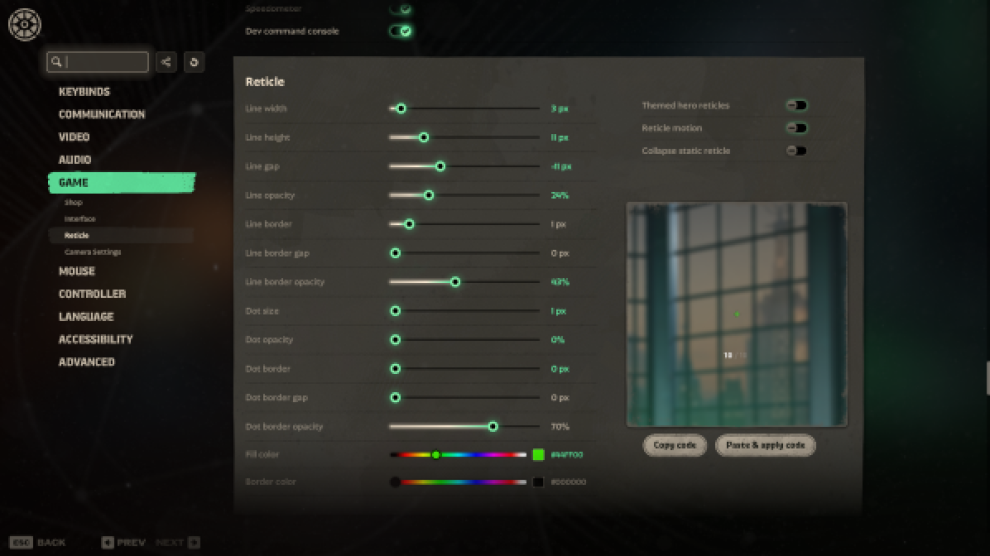
In the Settings tab, you can scroll to the GAME tab and edit your Reticle/Crosshair. In the bottom right corner there are 2 buttons that can be used to easily copy your crosshair for others to use, or import already made crosshairs.
The main things to focus on when making your crosshair is it’s color that needs to be distinguishable from everything on the map, and it’s size so it doesn’t make visual clutter when going for headshots.
Deadlock Crosshair Codes
If you don’t want to spend too much time making your crosshair from scratch and don’t like the default ones, you can use one of these 3 templates and tweak as you please:
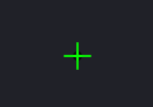
CROSS
Code: DL.AQEvG0_QKLUv_aAJAQAASQgAAQLLNAKCAgINAQWik5vGAgIEdHJ1ZQINAQXG.Pf6BgIEdHJ1ZQIKAQXtn.qmBgIBMgINAQW0xNbzDAIEMTUuNgIMAQXLpNHpBwIDLTE1AgwBBeXdmdIEAgMwLjkCCgEF84entgMCATACCgEF9_HUoAUCATACDAEF1sHdvgwCAzAuNwIKAQWSwsnwCQIBNAIJAQTV5Yd5AgEwAgoBBZ26.vcPAgEyAgoBBdzgptAPAgEwAgwBBdmyhakIAgMwLjcCCgEFnMH9hgECATcCDAEFgYiAmQcCAzI1MgIKAQWzmvLjBAIBMwIKAQWZqNP3BwIBMAIKAQXb0OChAwIBMAIKAQXsz4voBQIBMA==
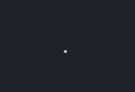
DOT
Code:
DL.AQEBoDr5KLUv_aAIAQAAQQgAAQLLNAKBAgINAQWik5vGAgIEdHJ1ZQINAQXG.Pf6BgIEdHJ1ZQIKAQXtn.qmBgIBMgIKAQW0xNbzDAIBMQIMAQXLpNHpBwIDLTExAgoBBeXdmdIEAgExAgoBBfOHp7YDAgEwAgwBBffx1KAFAgMxMDACCgEF1sHdvgwCATACCgEFksLJ8AkCATECCQEE1eWHeQIBMQIKAQWduvr3DwIBMAIKAQXc4KbQDwIBMAIMAQXZsoWpCAIDMC43AgwBBZzB_YYBAgMyNTUCDAEFgYiAmQcCAzI1NQIMAQWzmvLjBAIDMjU1AgoBBZmo0_cHAgEwAgoBBdvQ4KEDAgEwAgoBBezPi.gFAgEw
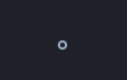
CIRCLE
Code:
DL.AQFb8o1XKLUv_aAOAQAAcQgAAQLLNAKHAgINAQWik5vGAgIEdHJ1ZQINAQXG.Pf6BgIEdHJ1ZQIKAQXtn.qmBgIBMgIKAQW0xNbzDAIBMgIMAQXLpNHpBwIDLTIwAgoBBeXdmdIEAgEwAgoBBfOHp7YDAgEwAgoBBffx1KAFAgEwAgwBBdbB3b4MAgMwLjcCCgEFksLJ8AkCATQCCwEE1eWHeQIDMC4xAgoBBZ26.vcPAgEyAgoBBdzgptAPAgEwAgwBBdmyhakIAgMwLjcCDAEFnMH9hgECAzEyOAIKAQWBiICZBwIBMAIMAQWzmvLjBAIDMTI4AgwBBZmo0_cHAgMxOTQCDAEF29DgoQMCAzIzMgIMAQXsz4voBQIDMjU1
If you want to add your own crosshairs or explore more options, you can visit the Deadlock Crosshair Database.
If you are looking to change the Vindicta ULT crosshair, sadly that is not possible without the help of 3rd party tools/mods. For that, we recommend the Clean Crosshair Mod.






Updated: Nov 25, 2026 08:50 am