


To install and use Wonderful Whims in The Sims 4, place the extracted mod files into your root Mods directory, enable custom content and script modifications in your Game Options menu, and restart your game. Once active, you can access and configure all of its realistic relationship, attraction, and biological features by clicking directly on your active Sim during live gameplay.
How to Install Wonderful Whims
To perform a clean installation and avoid game compilation errors, follow these steps exactly:
- Download the mod files from an official, trusted source to avoid malicious file injections.
- Open the downloaded ZIP folder using WinRAR on Windows or The Unarchiver on macOS to ensure all compiled script assets extract without corruption.
- Locate your root directory path, which is located by default at: \Documents\Electronic Arts\The Sims 4\Mods.
- Move the extracted WonderfulWhimsMod folder directly into this Mods directory. The mod must reside exactly one folder deep; nesting script files deeper than Mods\WonderfulWhimsMod\ prevents the game from executing the compiled .ts4script files.
- Search your Mods directory for any older installations or files associated with Wicked Whims and delete them completely. Running both modifications simultaneously triggers duplicate namespace definitions that result in game crashes.
- Launch your game client, click the three dots in the top-right corner, and go to Game Options > Other.
- Enable both the Enable Custom Content and Mods option and the Script Mods Allowed setting, click Apply Changes, and close the game.
- Restart your game client for the script injection settings to take full effect.
How to Verify the Mod Is Active
Once your game loads into a live household, perform these diagnostics to verify the mod compiled successfully:
- Click directly on your active Sim and confirm that the radial interaction menu displays the custom Wonderful… category option.
- Click the mobile phone icon on the bottom-left HUD to confirm that a pink heart icon labeled Wonderful appears on the application dashboard.
- Open Build/Buy mode, click the search bar, and type “Kaya” to confirm that purchasable boxes of feminine hygiene products load in the catalog.
If you find that CAS preferences load but the live-mode interaction menus are missing, the files are nested too deep in your folder system and must be moved directly to the root Mods directory. If settings reset between play sessions, navigate to \The Sims 4\saves\, delete the WonderfulWhimsMod cache directory, and reload the game to regenerate a clean profile.
Adjusting Attractiveness Preferences and Posing
The mod replaces standard gameplay attraction systems with a dynamic attraction preference engine. Ground interactions are deprecated; all custom preferences are adjusted by clicking directly on active characters.
To manually assign specific physical preferences, outfit styles, or color choices, click your active Sim, select More Choices…, click Attractiveness…, and choose Choose Preferences. The customization menu displays physical traits; liked traits are highlighted in green, while disliked traits are marked in red.
To establish immediate romantic compatibility with a partner, click on the desired target Sim, select More Choices…, click Attractiveness…, select Develop Preferences, and select develop based on selected Sims. The modification automatically scans the target Sim’s attributes and edits your active Sim’s preference list to match, instantly establishing peak relationship chemistry.
For players utilizing animations, click your active Sim, select the Wonderful… category, and click Enable Positioning. This command spawns interactive translation and rotation overlay arrows directly around the Sim. Click the arrows to slide or spin the character into precise positions to prevent environmental clipping, and select Disable Positioning once alignment is complete to hide the visual arrows.
Managing Consumable Hygiene Products and Birth Control
The biological cycle mechanics introduce menstrual phases, fertility indexes, and family planning systems that rely on physical inventory items. These items can be procured in three ways:
- Computer shopping: Select any computer, click Wonderful, select Wonderful Store, click the arrow icon to add items to the cart, and complete your checkout.
- Mobile shopping: Select your Sim’s mobile phone, tap the pink Wonderful heart icon, and purchase supplies via the e-commerce app.
- Catalog purchase: Enter Build/Buy mode and search the exact keyword string “Kaya” or “birth control” to place products directly onto your lot.
Once placed in a Sim’s personal inventory, characters will autonomously seek out toilets to use hygiene products as needed. To deactivate this autonomous behavior, click on the pad or tampon box inside the Sim’s inventory, select the Auto Use category, and toggle the behavior off.
To manage family planning and biological states when expanding your game with some of the best Sims 4 mods, players must balance specific duration and probability metrics.
| Operational Setting | Parameter Duration | Biological Impact |
|---|---|---|
| Short Cycle Duration | 6 to 7 Days | Governs fast menstrual phases on shorter lifespans |
| Normal Cycle Duration | 8 to 10 Days | Standard menstrual phase duration for normal lifespans |
| Long Cycle Duration | 18 to 24 Days | Extended phase structure optimized for longer lifespans |
| Realistic Fertility Ovulation | 31% to 33% | Maximum default conception probability window |
| Extreme Fertility Ovulation | 90% to 100% | Guaranteed conception chance during peak window |
| Realistic Condom Failure | 5% Probability | Chance of contraceptive failure during WooHoo |
| Realistic Pill Failure | 9% Probability | Chance of birth control failure for female Sims |
Mastering Personality Archetypes and Conversation Strategy
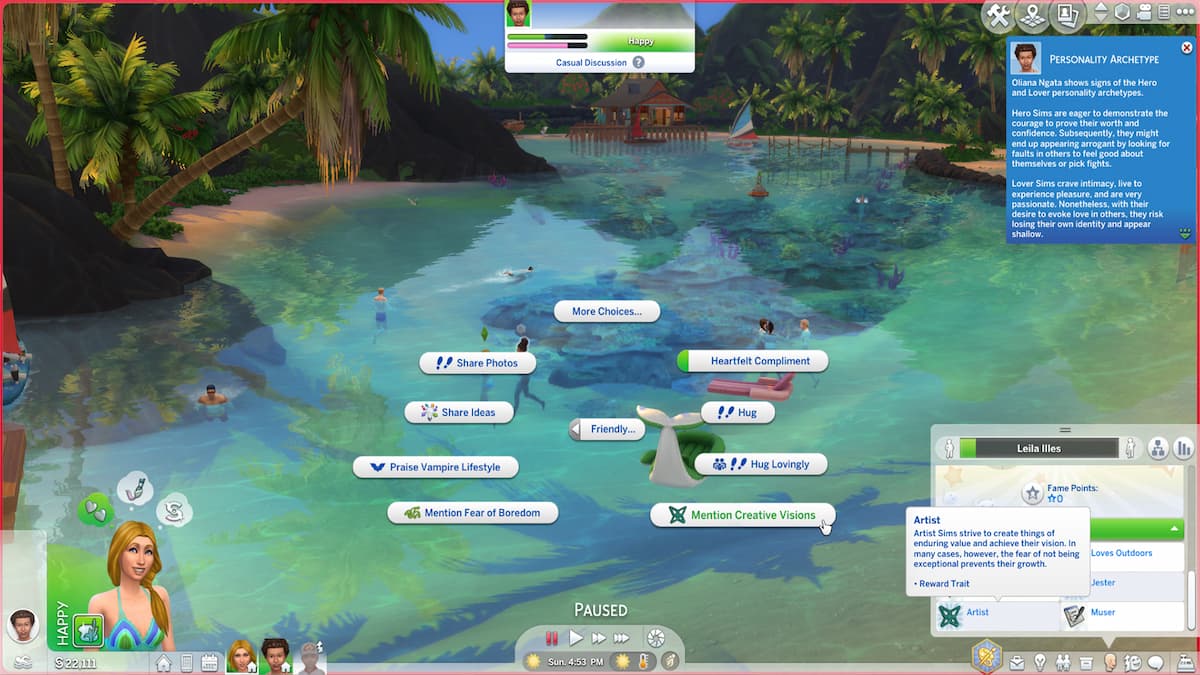
Sims automatically receive distinct Personality Archetypes that govern social behaviors and shape interpersonal dynamics. When utilizing the list of Sims 4 relationship cheats or building connections naturally, matching archetypes significantly speeds up relationship growth, while mismatched interactions require specialized dialogue pathways. Conversational topics are stored in a Sim’s short-term memory for eight hours; repeating topics within this window triggers persistent boredom and relationship decay.
The core personality archetypes and their corresponding dialogue interests are:
- Sage: Responds best to discussions focused on philosophy, scientific concepts, and the search for knowledge.
- Artist: Prefers conversations centered on painting, crafting, design, and aesthetic projects.
- Hero: Values physical, athletic, combat, and self-assured topics.
- Caregiver: Prioritizes dialogue surrounding family planning, domestic life, and mutual protection.
- Jester: Responds positively to jokes, funny stories, and lighthearted, silly interactions.
- Innocent: Values pure optimism, positive traits, and cheerful dialogue options.
- Lover: Excels in direct romantic gestures, expressions of affection, and intimate topics.
- Sinister: Prefers discussions about immoral acts, snobby perspectives, and selfish goal achievements.
- Everyman: Operates on standard base game social metrics with no unique modifiers.

















Updated: Jul 17, 2026 02:04 pm