


Itching to get your hands on the Sims competitor, InZOI, as soon as possible? You can get a free early demo before the March 28th release, but it’s not that easy. Let’s find out how to easily get a key and become one of the lucky players to access the demo early.
How To Get A Steam Key For InZOI’s Creative Studio
To get your hands on a free demo, you need to watch a stream, on Twitch or CHZZK, for a certain amount of time. However, there are a few other steps you’ll need to complete, too.
First, head to the InZOI website to check if keys are still available. The event will run from March 20, until March 23 at 1 AM (CET timezone).
How to watch an InZOI Twitch stream
- Create an account on the Krafton website.
- Go to Steam and wishlist InZOI, since this is the only platform where the drops work at the moment.
- Link your Steam account with the Krafton account you just registered. Follow the steps on the website, but remember you must be signed in to Steam first.
- Finally, link your Twitch or CHZZK account with Krafton, and sign in with these two services first.
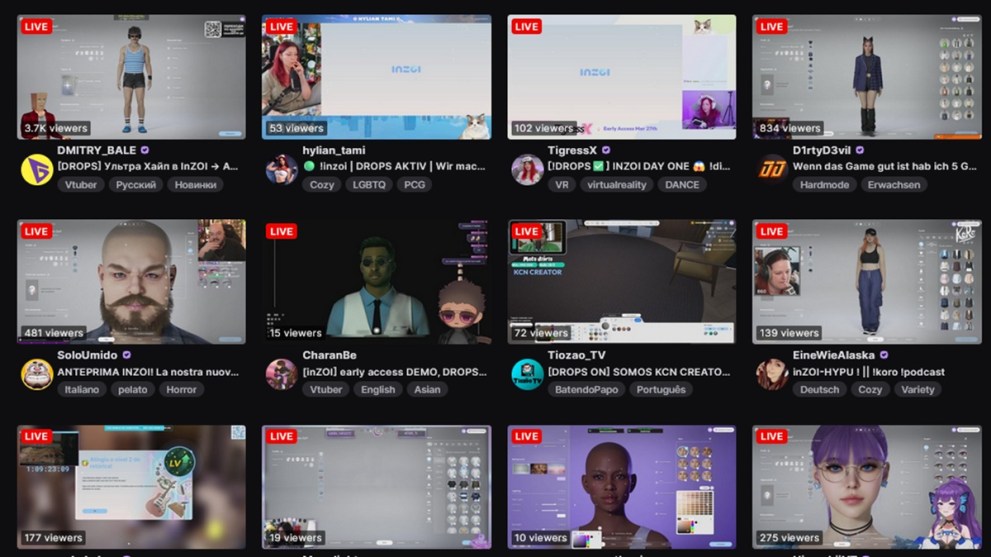
Now, just watch one of the InZOI streams on Twitch or CHZZK. First, make sure you are logged in to your account and head to the InZOI category to check out which streamers are playing the game.
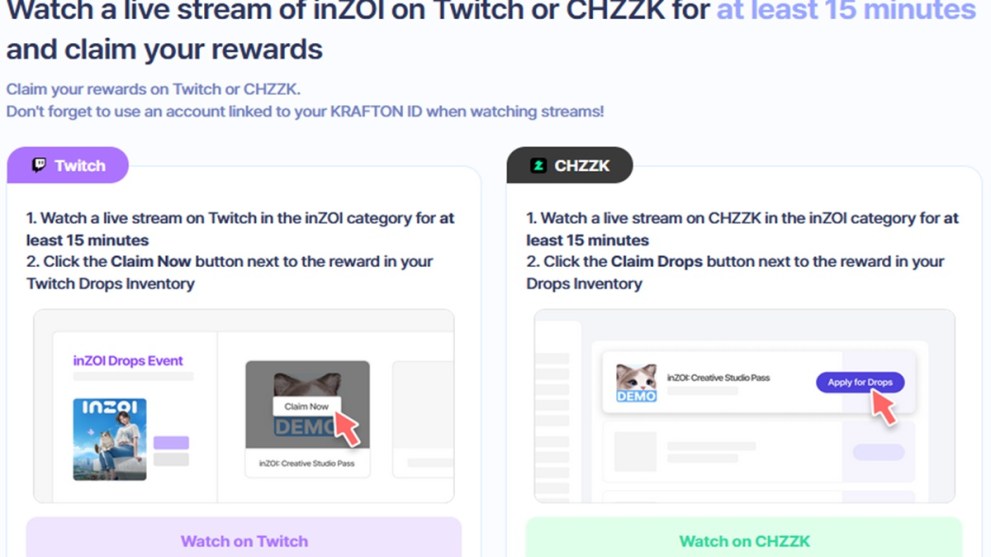
Drop into any of the channels and start watching. Once you do, you should see a notification about drops being enabled, so you rest easy that you’ve done everything correctly. Keep watching a stream for at least 15 minutes to unlock your very own Twitch drop.
How to get your Steam key drop on Twitch
In your Twitch Drops inventory, you can check how many minutes of streaming you have left until your reward. Also, when the Twitch Drop notification pops up, click on it to complete the final steps to grabbing your InZOI Steam key.
Once Twitch confirms your reward, it’s time to go back to InZOI’s website. Once you are logged in, you will see a big button that says “Claim Drop Rewards!” click it.
You can now use this Steam code to download the demo. You can follow the instructions on the website to redeem it.
Otherwise, you can copy the code and add it directly to your Steam library, by following these simple steps:
- Click on “Add a Game” below your Library.
- Then “Activate a Product on Steam”.
- Paste the copy into the box that pops up.
- Click next twice to activate it.
With that, you’re ready to download and install the InZOI Creative Studio demo. This is a two-part demo that features the Character studio and the Build studio. All the creations you make in the demo can be carried over into early access, when it goes live on March 28.








Updated: Mar 20, 2025 01:27 pm