


Bethesda Game Studios’ cosmic looter-shooter RPG has finally launched, and like many modern titles these days, there’s plenty of preorder DLC to get your mitts on. While the process can be straightforward, there can occasionally be some finicky hiccups that crop up. So, for those wondering how to redeem Starfield’s preorder bonus DLC, here’s what you’ll need to do.
Redeeming Starfield’s Preorder DLC
First of all, the method in which you redeem your DLC varies depending on how you purchased the game.
Physical Copies
For physical copies of Starfield, you should have been given a code by the retailer. If so, simply follow these steps:
- Your preorder DLC code should be found in either the game’s case, via an email, or on your till receipt.
- Head to the Microsoft Store on your Xbox and select the ‘Use Code’ option.
- Carefully enter the code that’s displayed into the text box on the Microsoft Store.
- Confirm that you want to redeem the preorder bonus for Starfield.
Digital Copies
If you purchased a digital version of the game, your Xbox should automatically download your bonus DLC. However, if you’re unsure, feel free to follow these steps in order to check whether it’s been redeemed:
- With the game installed, press the ‘Menu’ button over the Starfield tile on your Xbox dashboard.
- From here, select ‘Manage game and add-ons’.
- Next, select Starfield, and this will bring up your add-ons.
- If your ‘Starfield: Old Mars Skin Pack’ or ‘Starfield: Premium Edition Content’ is in your add-ons, but they’re not installed, go ahead and install them now. To do so, select them and choose to install them.
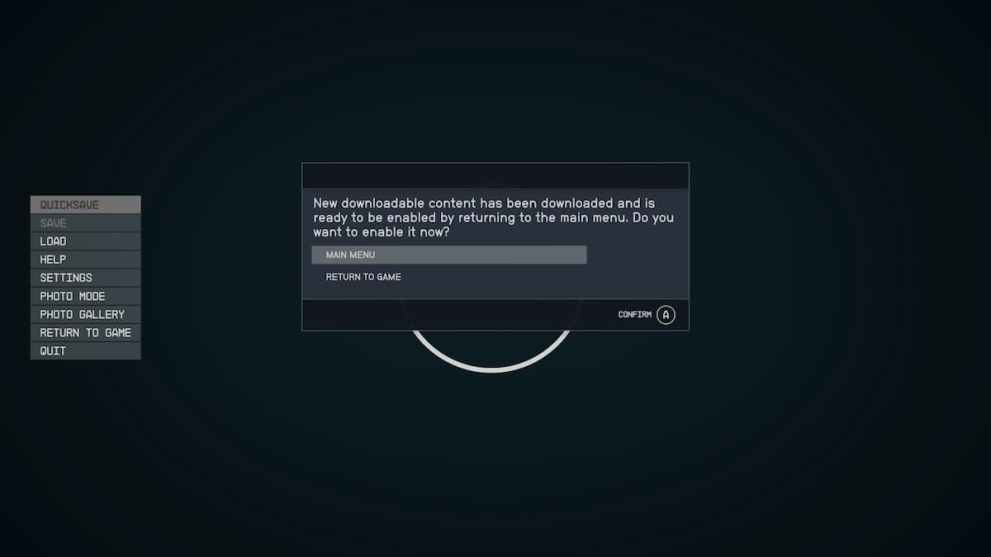
If you’re currently playing Starfield as you download the new DLC, you’ll be met with a prompt asking you to restart the game.
Accessing Starfield’s Preorder DLC
To access the new bonus DLC, you’ll need to visit either a Weapon Workbench or a Spacesuit Workbench. Once you’re in the menu, toggle down to the “Skins” option and select the new skins. Specifically, they comprise of the following:
- Laser Cutter
- Deep Mining Helmet
- Deep Mining Pack
As they are simply cosmetic items, they do not offer any extra bonuses outside of their unique aesthetics.
In regards to the digital soundtrack and art book, we believe that these will be separate items that will be downloadable via an app. As soon as we learn more, we’ll make sure to update this page.
And with that, we conclude our guide on how to redeem Starfield’s preorder bonus DLC. For more, feel free to browse our related content below. And for everything else, stick with us here at Twinfinite.










Updated: Sep 1, 2023 06:38 am