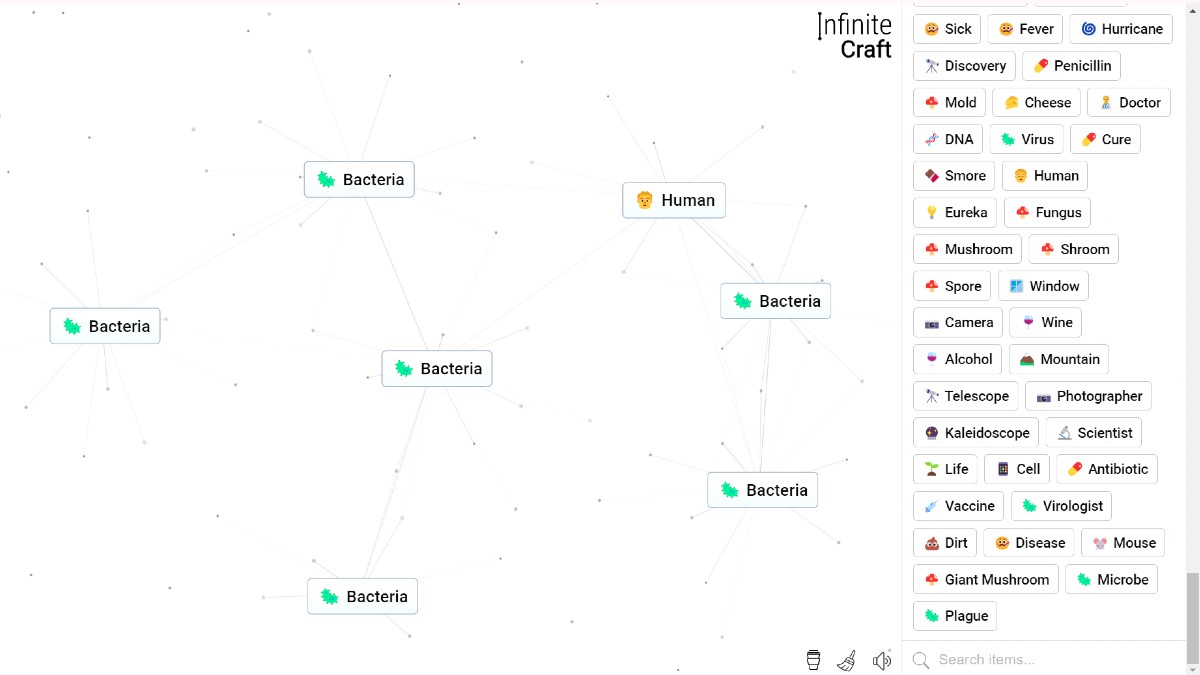
Synthesizing the Human element in Infinite Craft requires a mathematically optimized sequence that bypasses the high-level semantic decay of the generative backend. By executing the deterministic six-step cosmic path, players can bypass redundant biological trees and secure the element with peak efficiency.
Theoretical Foundations of the Crafting Magma
The dynamic combination space of the game is mathematically modeled as a Commutative Magma. The system employs a closed binary operation, represented by the symbol +, which maps a pair of elements from the set of valid text strings, S, to a single synthesized output string:
- : S x S -> S
The binary operation is strictly commutative. This algebraic property guarantees that the spatial layout and selection order of the cards on the HTML5 canvas do not affect the output:
a + b = b + a, for all a, b in S
where a and b represent any two discovered elements in the active set. To maintain this mathematical invariant without executing redundant API requests or server-side lookups, the client-side JavaScript engine automatically alphabetizes the selected elements prior to executing the network request. For example, combining “Flattened” and “Bulldozer” in either order canonicalizes the parameters alphabetically on the client side, sending a single, unified request:
GET https://neal.fun/api/infinite-craft/pair?first=Bulldozer&second=Flattened
This client-side canonicalization reduces the overall complexity of the combinatorial space. For a total of M discovered elements, the unique combination space, allowing self-pairings, is mathematically constrained to:
C = M x (M + 1) / 2
where C represents the total number of unique pairings possible within the session.
However, the generative engine is strictly non-associative, meaning that the sequential grouping of operations changes the destination node:
(a + b) + c is not equal to a + (b + c)
We prove this non-associative property using the base elements a = Water, b = Earth, and c = Fire:
(a + b) + c = (Water + Earth) + Fire = Plant + Fire = Smoke
a + (b + c) = Water + (Earth + Fire) = Water + Lava = Stone
Because the final synthesized concepts are not semantically equivalent (Smoke does not equal Stone), traditional search algorithms that rely on sub-path optimality or sub-graph relation cannot navigate the crafting graph. Pathfinding algorithms must use breadth-first search methods to identify the shortest synthesis lineage.
Mathematical Decay of Generative Fusion Rates
The game utilizes a centralized database cache of previously combined elements. When a player attempts a combination that does not exist in this database cache, the backend queries a large language model to generate a novel output in real time. As the depth of the breadth-first search increases, the semantic relationship between elements weakens, leading to rapid decay in valid generative outcomes and a higher frequency of fallback strings.
The database degradation metrics scale as the search depth increases:
| Search Depth | Available Elements | Possible Combinations | Valid Novel Outputs | Fusion Rate |
|---|---|---|---|---|
| Level 1 | 10 | 6 | 6 | 100.0% |
| Level 2 | 30 | 45 | 20 | 44.4% |
| Level 3 | 137 | 435 | 107 | 24.6% |
| Level 4 | 1,020 | 9,316 | 883 | 9.5% |
This mathematical decay highlights the importance of using targeted, optimized lineages rather than brute-force experimentation.
Workspace Customization and DOM Manipulation
When configuring a workspace for high-speed synthesis runs, positioning the canvas elements using specific coordinate vectors minimizes drag time. The canvas interface detects collision events based on bounding boxes; a synthesis event is only triggered when the center coordinates of two cards overlap within a 30-pixel proximity radius.
To maintain high-speed click-and-drag efficiency, some players utilize userscript extensions injected directly into the Document Object Model (DOM), configuring a middle-click override to immediately duplicate elements on the canvas, completely bypassing the sidebar drag loop. For high-frequency base elements, an Alt+Click command pins those elements directly to the top of the sidebar for instant access. To prevent DOM lagging during deep routing, the sweep broom command in the bottom-left corner purges the active canvas layout but preserves cached historical data in the browser’s localStorage under the discoveries key.
Optimal Lines of Synthesis for the Human Element
To synthesize the Human element, players can execute three primary lineages. These lineages range from a highly optimized astronomical speedrun to longer evolutionary and mythological paths.
The Six-Step Astronomical Speedrun
This sequence is the mathematically optimal pathway, verified at a world-record execution speed of 3.00 seconds. It uses a linear sequence where each output is directly combined with the subsequent element, preventing the workspace from being cluttered with unused cards.
| Step Sequence | Input Element A | Input Element B | Synthesized Output |
|---|---|---|---|
| Step 1 | Earth | Wind | Dust |
| Step 2 | Dust | Wind | Sandstorm |
| Step 3 | Earth | Dust | Planet |
| Step 4 | Planet | Sandstorm | Mars |
| Step 5 | Mars | Earth | Life |
| Step 6 | Life | Earth | Human |
The 10-Step Venusian Path
This path relies on mythological and planetary associations, establishing the masculine and feminine archetypes of Adam and Eve before combining them to form humanity.
| Step Sequence | Input Element A | Input Element B | Synthesized Output |
|---|---|---|---|
| Step 1 | Fire | Wind | Smoke |
| Step 2 | Water | Fire | Steam |
| Step 3 | Earth | Steam | Mud |
| Step 4 | Wind | Earth | Dust |
| Step 5 | Earth | Dust | Planet |
| Step 6 | Water | Smoke | Fog |
| Step 7 | Fog | Planet | Venus |
| Step 8 | Venus | Mud | Adam |
| Step 9 | Venus | Adam | Eve |
| Step 10 | Adam | Eve | Human |
The 11-Step Evolutionary Path
This path synthesizes monkey evolutionary lineages to reach humanity.
| Step Sequence | Input Element A | Input Element B | Synthesized Output |
|---|---|---|---|
| Step 1 | Water | Fire | Steam |
| Step 2 | Steam | Earth | Plant |
| Step 3 | Plant | Water | Algae |
| Step 4 | Algae | Earth | Life |
| Step 5 | Earth | Fire | Lava |
| Step 6 | Lava | Wind | Stone |
| Step 7 | Stone | Life | Egg |
| Step 8 | Egg | Life | Bird |
| Step 9 | Plant | Tree | Jungle |
| Step 10 | Bird | Jungle | Monkey |
| Step 11 | Life | Monkey | Human |
Client-Side Validation and the Dead Element Taxonomy
The game’s client-side JavaScript validator screens all local saves and imported elements. Elements that fail to meet these validation rules are categorized as “Dead Elements.” While these elements can be loaded into memory via manual console injection, they are permanently blocked from combining with other cards.
The Neal Case Capitalization Rules
The capitalization protocol, known as Neal Case, splits element strings into separate words using the standard space character U+0020. For any string S, the client-side JavaScript validates three rules:
The first character of the string, S[0], must not evaluate to a lowercase letter. Non-cased characters, such as quotation marks or Unicode symbols, bypass this check, meaning “hello” remains valid.
An uppercase character (A through Z) is permitted only as the leading character S[0] or if it immediately follows the space character U+0020. If an uppercase character appears in the middle of a word, the element is marked as dead. For example, HEllo is dead because E is capitalized without a preceding space.
A lowercase character (a through z) cannot follow the space character U+0020. This requires every word in a multi-word element to be capitalized. For instance, Hi there is dead, whereas Hi There is alive.
Alternative space characters, such as the non-breaking space U+00A0 and the narrow non-breaking space U+202F, bypass the space splitter. This allows characters following these spaces to be evaluated as part of the same word, enabling valid casing variations like “weird Casing[U+202F]go Brr.”
String Length and UTF-16 Surrogate Penalties
The client-side validator calculates element lengths using JavaScript’s native UTF-16 code units. If an element exceeds 30 code units, it is permanently marked as dead. This penalizes characters with high Unicode codepoints, such as emojis or stylized mathematical letters, which require surrogate pairs. These characters count as two distinct units against the length cap:
String Length = N(standard) + 2 x N(surrogate), and must be <= 30
where N(standard) represents the count of standard single-unit characters and N(surrogate) represents the count of surrogate pair characters. For example, the element “30 Chars, But Won’𝐓 Combine :(” is visually 30 characters long. However, because the bold letter T (U+1D413) is evaluated as a surrogate pair, the JavaScript engine calculates the length as 31 code units, rendering the element dead.
Zombie Elements and Caching Sync Faults
“Zombie Elements” are a rare category of bugged elements that appear dead and fail to combine under normal conditions but remain capable of pairing with a small, select group of elements. This occurs when the client-side validation rules and the backend database cache fall out of sync. To revive a zombie element, players must find a valid, alternate recipe that yields the same element name. Synthesizing the element through a clean recipe updates its status in the live server-side cache, restoring its ability to combine with other cards.
Backend Architecture and API Integration
The game communicates with its backend via synchronous HTTP GET requests. When two elements are paired, the client sends a query to the path /api/infinite-craft/pair.
http
GET /api/infinite-craft/pair?first=Fire&second=Water HTTP/1.1
Host: neal.fun
The server returns a structured JSON payload containing three keys:
json
{
“result”: “Steam”,
“emoji”: “💨”,
“isNew”: false
}
The isNew key returns true if the specific combination represents a global “First Discovery.”
SQLite Database Cache Schema
To optimize traversal speed and prevent redundant API queries, community-developed automation agents utilize localized SQLite databases to cache elements and pairings.
sql
CREATE TABLE IF NOT EXISTS element (
id INTEGER PRIMARY KEY AUTOINCREMENT,
first_created_at DATETIME DEFAULT CURRENT_TIMESTAMP,
name TEXT UNIQUE,
emoji TEXT
);
CREATE TABLE IF NOT EXISTS pair (
id INTEGER PRIMARY KEY AUTOINCREMENT,
timestamp DATETIME DEFAULT CURRENT_TIMESTAMP,
first_element_id INTEGER,
second_element_id INTEGER,
result_element_id INTEGER,
FOREIGN KEY(first_element_id) REFERENCES element(id),
FOREIGN KEY(second_element_id) REFERENCES element(id),
FOREIGN KEY(result_element_id) REFERENCES element(id)
);
By querying the localized pair table before calling the server-side API, automated crawlers reduce outward API calls, minimizing the risk of IP rate-limiting, which typically triggers at requests exceeding 2 to 4 queries per second.
Banned Outputs and Large Language Model Limits
To protect server performance and maintain game balance, the backend engine blocks several categories of elements from being crafted in isolation.
The Nothing Fallback: When the generative engine fails to produce a logical output, the backend returns the string Nothing. Because the client uses the exact string Nothing to represent a failed combination, the engine treats it as a failed recipe and blocks it from being placed on the canvas. While the element Nothing is impossible to obtain under normal play conditions, casing variations like nothing or nOtHiNg bypass this check.
The Equals Sign Ban: The character = is banned across all elements. The database parser processes flat recipe files by splitting lines at the last equals sign. If an element contains an =, this split logic breaks, causing the parser to slice the element name and return only the trailing portion.
Periods and Double Periods: The elements . and .. are completely banned in isolation, due to security rules designed to prevent relative directory path traversal attacks in backend query strings.
Cross-Site Scripting Interceptions: The backend screens inputs to protect against cross-site scripting (XSS) and SQL injection attempts. Combinations that produce potential execution strings are intercepted and blocked at the edge, rendering them impossible to craft.
While the client enforces a 30-character limit, the backend database can support elements up to 320 characters under specific API configurations. This establishes the maximum theoretical length for any element in Infinite Craft:
Length(max) = T x L
where T represents the maximum token allocation limit and L is the maximum number of characters per token.
Search Optimization and Automated Discovery Bots
Because Infinite Craft is a deterministic text sandbox with a 100% success rate for valid cached or AI-generated recipes, it does not use traditional MMORPG drop-rate probabilities or stat scaling. Instead, optimization is centered on structuring search parameters to find “First Discoveries” while avoiding dead-end combinations.
Navigating these high-level structures requires a deep understanding of every discovered Infinite Craft combination to identify clean pathways. To automate this search, community-developed discovery bots use a localized database and query the generative backend using a specific probability distribution. The bot prioritizes pairs based on a defined ratio:
80% Probability (Specific/Recent Search): The bot pairs newly discovered elements, prioritizing combinations of the most recently discovered concepts, which are highly likely to yield unique “First Discoveries.”
10% Probability (Broad/Global Search): The bot pairs older, established elements, systematically testing foundational combinations that may have been missed.
10% Probability (Cross-Generational Search): The bot pairs the oldest elements with the newest ones. This cross-generational pairing introduces semantic variety, helping the bot break out of repetitive “Nothing” loops when a lineage becomes too specific.
Updated: Jul 10, 2026 02:44 pm